By admin on Jan 7, 2009 | In Hardware, Software | No Comments »
 If you notice a bright dot on your LCD screen in an area which is normally completely dark or colored, then you probably have a stuck pixel. On the other hand, if you see a black dot when the picture is supposed to be all white or bright, then you are seeing a dead pixel. Unfortunately, dead pixels cannot be repaired and you have to either replace the screen or learn to live with it. Luckily, stuck pixels are more common and there are ways to repair them.
You can try to repair the stuck pixel by using pixel fixing software. I tested two programs when I was repairing a screen on a brand new laptop: JScreenFix and UDPixel. In theory, pixel fixing software can reenergize pixels by rapidly turning them on and off. JScreenFix works through a small window that turns pixels on and off about 60 times in a second. These rapid changes can reactivate the pixel permanently.
I installed JScreenFix and positioned the window above the affected area, where it’s supposed to work its magic for 20 minutes. However, even after several attempts it didn’t repair the pixel. UDPixel works by changing the pixels surrounding the stuck one and it usually runs for a few hours. Again, UDPixel didn’t solve my problem. Before you try this next method, I suggest you try the software first, as you might have more luck.
Read the rest »
By admin on Jan 4, 2009 | In Security | No Comments »
 Did you know that your IP address is being tracked and recorded when you surf the Internet? Every Web site you visit can see your IP address and record your every move. Someone can even find your exact location (your ISP protects your private details). This is also how spyware and cookies are sent to your computer. And it’s even worse if your ISP provides a static IP address, which never changes. If you want to hide your IP address so you can surf the Internet anonymously, there is an easy way to achieve this.
First, to view your current IP address go to whatismyIP.com and write down the 4 numbers separated by dots. If you want to change this IP address, you can download a program that lets you change or mask the address or simply configure your Web browser to use a public proxy server. This is a free service that allows your PC to connect and hide your real IP address (and location) before you start viewing any Web pages. It acts as a buffer between your PC and the Internet resources you access. This prevents unauthorised access to your computer and sites spying upon you, collecting information about you and your surfing preferences, installing cookies and bombard you with spam and junk mail.
Read the rest »
By admin on Dec 29, 2008 | In PC Crash, Windows XP | No Comments »
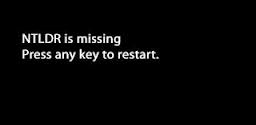 After the POST (power on self test) screen, Windows does not load and the following message is displayed: “ntldr is missing”. This means that one or two essential system files are either corrupt or have been deleted: ntldr and/or ntdetect.com. Without these files, Windows cannot operate. This message is usually associated with Windows XP.
To fix this, you have to restore ntldr and ntdetect from the Windows XP CD. Restart the PC and boot from the CD (if you are not sure how to do this, please read my previous post). Follow the instructions on screen until you see the first menu. Here, press R to start the Recovery Console. When you are asked to choose your Windows installation, press 1 (choose another number if you have other windows installations), type your administrator password if you have one, and/or press Enter.
You will see the C:\Windows directory. To copy the files from the CD to your hard drive, you need to type in the following two commands (and press Enter after each command):
- copy X:\i386\ntldr C:\
- copy X:\i386\ntdetect.com C:\
Read the rest »
By admin on Dec 28, 2008 | In Windows Vista | No Comments »
 When you shut down Windows, the following error message appears: Schtasks.exe – Application failed to initialize (0xC0000142). You can click OK or the message disappears by itself and the shutdown process continues.
Schtasks.exe is a command line version of the Task Scheduler in Windows Vista. It lets you specify a schedule for the automated execution of commands. Besides the specified date/time schedule, execution can be triggered by other programs as well. If you are an advanced user, you can open the Task Scheduler (Control Panel, System & Maintenance, Administrative Tools) to see all scheduled tasks and decide whether you need all of them. You can also open the System Configuration Utility (Start, Run, type msconfig and click OK) and see which programs are scheduled to run at startup (Startup tab).
This error was probably caused by the Java software. The message stopped appearing after I uninstalled Java from the computer. However, you still need Java for many applications, such as games, chat programs, 3d images and Internet. After you uninstall Java (Control Panel, Uninstall a program) and confirm it’s responsible for the error, reinstall it. Go to the Java Web site and download the latest version. In my case, the problem did not reappear.
Read the rest »
By admin on Dec 27, 2008 | In Windows Vista, Windows XP | No Comments »
 Let’s assume you have a PC or laptop with Windows Vista installed but you want to install Windows XP as well. Or you have XP and want to try Vista without losing XP.
Before you start the installation, you should make sure that your computer can handle two operating systems. Most importantly, you need a hard drive that can provide the space for Vista and XP. If your PC/laptop is less than two years old, then I wouldn’t worry about it. Otherwise, I suggest you use at least a 100GB hard drive (larger capacity is recommended), 1GB of RAM (for Vista), a minimum 1Ghz processor and a DVD ROM.
If you have only one hard drive, then you’ll have to split the hard drive in two partions, one for each operating system. If you can use two hard drives, then you won’t need the partitions.
Read the rest »