By admin on Jul 6, 2012 | In Security, Viruses and Spyware | No Comments »
 I recently received a call from an individual purporting to be from “Windows Support” informing me that my PC was sending notifications to their support center and that I had a virus that they would like to help me to fix. Now, this was an obvious scam but it’s interesting to note the techniques that they used. First, they guided me to various registry keys. They repeated one of the “clsid” entries to me and asked me to confirm if that was what I could see on screen. Now obviously it was, because that particular entry is the same on all PCs, but to a non technical user, this would provide further credibility to the claim that they were being called from a genuine company or that the PC had in fact been transmitting an ‘ID number’ to this company.
They then guided me to the event log viewer, and asked me to look at the application log. Of course, this contains a number of errors and warnings as is to be expected, however they pointed out to be that these were all the viruses present on the PC. To gauge their reaction I actually told them that I’d just clicked ‘Clear Log’ and that everything had now been cleared and so the PC was now clear of viruses, but the scammer told me that they would reappear again as they had not been correctly repaired.
Read the rest »
By admin on Jun 28, 2012 | In Security | No Comments »
 Email is a vital part of your online identity. Everyone in this day and age has to have one. It’s the first step to social networking, online shopping, pay pal, subscribing to newsletters and updates, contacting clients, banking and the list goes on. So in short, whether you’re a teenager who uses email just for the sake of having a Twitter account or a marketing manager for a company sending out important brochures, you really can’t make do without having an email account.
The problem is email security. It is just too easy to break into an email account, for instance with a simple keylogger. No one wants theirs hacked even if it exists for the sole purpose of receiving an e-paper. The fact remains that it is a virtual niche one has created for their own needs and having that taken away is not a pleasant experience. Explains why so many are uneasy when it comes to employee monitoring software for emails at work. Since the recent Hotmail security flaw which caused innumerable accounts to be compromised, email security is not to be taken so lightly.
Until free web services decide to strengthen their security, here are two simple steps people can take other than having to resort to paid email services.
Spread Yourself Around
Read the rest »
By admin on Jun 22, 2012 | In Security, Software | No Comments »
 QuickBooks is a reliable and bug-free small business accounting product. It incorporates a handful of web-based features, such as online banking and reconciliation, remote payroll assistance and outsourcing, remote access capabilities, etc. It also includes options for importing data from Excel spreadsheets, pre-authorizing electronic funds, etc. It helps to easily manage and handle different aspects of your business.
However, Quickbooks users may face issues from time to time. The QuickBooks company (.QBW) file may get corrupt owing to several vulnerabilities. This file may contain a number of corrupt entries that could make other company information inconsistent, leading to a complete loss of business data. There are few ways that can help you reduce the risk of corruption in your company file:
Examining the Product Information Window:
The Product Information Window gives you a fair idea about your client’s data file, i.e. version of the file, number of items in the client’s lists, number of customers, vendors, employees and other names, etc. You can find out the growth of the file and the projected growth of the company by comparing the most recent data files.
Read the rest »
By admin on Jun 17, 2012 | In Security | No Comments »
 If you work on windows, you might have often been bombarded with prompts about how updates are available for your computer and that you are recommended to download and install them. You might be asking yourself the utility of these updates and whether they do anything other than consuming more space on your computer’s disk. Read on to find out.
The utility of Windows Security Updates
While Microsoft publishes a lot of different updates for Windows, by far the most important are the security updates. Once any software, especially one as popular as Windows, is released into the public space, chances are high that a hacker will try to exploit any potential flaws in the software’s architecture and use it to gather personal information or damage your system.
Since it is almost impossible to simulate every security threat in a lab environment (when the software is being QA’d) it is necessary for the Windows security team to be ready to work fast once new exploits into the system are discovered in the field. It is such work from the security team that manifests itself in the form of Windows Security updates.
What are the Windows Security Components?
Read the rest »
By admin on Jun 14, 2012 | In Software | No Comments »
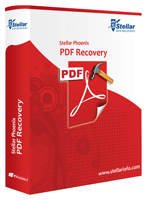 The reason for the popularity of PDF or Portable Document Format over the Internet for publishing documents and sending large documents via emails is its security features. The security features such as password protection and applied restrictions to edit or print PDF file ensure the confidentiality of our crucial file from being accessed or altered by any unauthorized user. Despite of all these advantageous features there are times when something goes wrong with PDF file and it gets corrupt or becomes inaccessible. The best way to overcome PDF file corruption is recovery software built specifically for PDF files.
However, before understanding something about these third-party tools let us discuss some very prominent reasons due to which a PDF file gets corrupt or becomes inaccessible:
• Inappropriate Download: Most of the times the reason for corruption of PDF file is inappropriate or bad download. If download of PDF file from server to your computer gets interrupted due to bad or interrupted Internet connectivity then this issue occurs. If this is the case with you, then reconnect your Internet, go to the website again and then from there try to download PDF file.
• Incorrect PDF Creation Process: Another possible cause of encountering the unexpected behavior of PDF file is bad PDF creation process. Sometimes either incorrect PDF file creation or inappropriate PDF upload to the Internet leads to PDF file corruption.
Read the rest »
