By admin on Jan 24, 2010 | In Internet, Security | No Comments »
 Have you ever wondered which passwords are most frequently used on the Web? Probably not, but now you can get an answer to this question. Imperva, a data security company, has just analyzed 32 million passwords that had been exposed in a recent hack and it came up with the 10 most used passwords.
In December 2009, an unknown individual hacked the RockYou Web site and gained access to all its 32 million users’ user names and passwords. After investigating the security breach, Imperva has analyzed all the exposed passwords and revealed the 10 most frequently used combinations. You might be surprised by the result. I was.
Top 10 passwords:
1. 123456
2. 12345
3. 123456789
4. Password
5. iloveyou
6. princess
7. rockyou *
8. 1234567
9. 12345678
10. abc123
123456? Seriously? 🙂
Source: news.com.au
By admin on Jan 18, 2010 | In Software | No Comments »
 Have you ever wondered which program is best for partitioning? Or why and whether you need to partition your hard drive at all?
If you have a hard drive with a large capacity, then it’s a good idea to split the hard drive into two or more partitions, where you can create two logical drives, such as C: and D: drive. You would then install the operating system and other software on the C: drive, and you could keep your important documents, music and video files on the D: drive. This way you can protect your important files in case Windows fails or is infected by a virus. But that’s just one example.
Partitioning programs give you more options, such as: create, format, resize, copy, split and delete partitions, ensure data safety, convert to different file systems and fix problems on the hard drive.
I tried to select ten of the best programs out there, most of them free, because let’s face it, once you partition your hard drive, you may not need it again for a long time. Therefore it doesn’t make sense to spend money on such software. I have used Partition Manager several times and I was always amazed at how effective and simple to use it was. However, it was recently discontinued and old versions don’t support Windows Vista or 7.
Read the rest »
By admin on Jan 13, 2010 | In PC Crash, Windows Vista | No Comments »
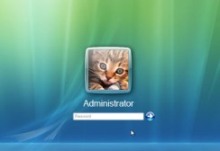 I had to solve the same problem in two Toshiba laptops today. A friend called and explained that his kids’ laptops couldn’t connect to the Internet through a wireless broadband connection and the login process took minutes to complete. It was weird that both of them had the same problem…
Once Windows Vista Home Edition loaded, some errors appeared, specifically with networking services (Windows service failed to start and Dependency services or group failed to start). I immediately suspected spyware or virus infections and proceeded to scan the hard drive with Malwarebytes and Avira Antivir. 7 spyware infections were found and some viruses as well, but even after they were removed, the same problems were still there. I even cleaned temporary Internet files and registry with CCleaner and reset all Internet Explorer settings, but the problem persisted. I tried to take the easy way by using System Restore and attempted to restore the system to an earlier date, when everything worked fine. The system went through the restore process, but after the next reboot, Windows Vista, my most favorite system (NOT!) informed me that due to some errors the System Restore process had failed! Read the rest »
By admin on Jan 11, 2010 | In PC Crash, Windows 7 | No Comments »
 Few days ago I helped my friend install Windows 7 Ultimate. Since he bought a brand new 1TB Sata hard drive, he had to do a clean install. The Windows installation completed quickly and without any problems. All the drivers were installed and everything worked correctly. However, some new partition settings caused a problem and at the next reboot, Windows wouldn’t load. The bootmgr is missing message appeared and all we could do is restart again.
The only way to do anything here is to boot from the Windows 7 DVD. Once the DVD loads the required files, you are presented with options to install Windows 7 or repair the computer. I clicked on the Repair your computer link and after the Windows installation was found and selected, I clicked on Next. In the following window, there are several System Recovery Options and I clicked on the Startup Repair.
Read the rest »
By admin on Jan 2, 2010 | In Software, Viruses and Spyware | No Comments »
 Party’s over, now back to business. If you are looking for a great antivirus program for 2010, you should definitely try Kaspersky Antivirus 2010. Kaspersky is one of the best antivirus programs on the market, with a great detection rate and easy to use interface. The new 2010 version costs $39.95 and you can buy it here.
Kaspersky Antivirus 2010, the backbone of your PC’s security system, offers basic and real-time automated protection from a range of IT threats such as viruses, infected Web sites and intrusions. In my previous list of top 10 antivirus programs, Kaspersky was number one!
The new 2010 version includes the following new and improved features:
- Basic identity theft protection Improved!
- Color-coding of links to unsafe websites New!
- Blocking of suspicious programs based on their behavior Improved!
- Kaspersky Toolbar for Internet browsers to warn you about infected or unsafe websites New!
- Basic identity theft protection, including improved secure Virtual Keyboard Improved!
- Urgent Detection System to stop fast emerging threats Improved!
- Next generation proactive protection from zero-day attacks and unknown threats Improved!
- Special Game Mode to suspend alerts, updates and scans while you play New!
- Enter logins and passwords using secure Virtual Keyboard Improved! Read the rest »
