By admin on Mar 10, 2009 | In Internet, Security | No Comments »
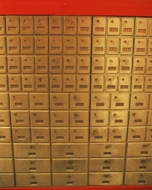 Do you have important electronic files that you want to keep but don’t know how to back them up? Is the conventional storage such as DVDs and external hard drives just not good enough? Maybe you want to ensure that your files are 100% secure against damage, theft or unauthorized access and your home simply doesn’t provide that kind of protection.
In this case, you need something like a bank – an online storage solution. There are services that offer storage for electronic files on the Web, such as Microsoft’s OneDrive, where you can store up to 5Gb of data for free, or 50 Gb for $2.00 a month (or even 1TB for $9.00 a month)! If you want to find a safe place for your digital photos, videos, important documents and sensitive data that no one except you should see (and people you select), then OneDrive is the ideal solution. It’s great for everything that you have to store safely and cannot leave at home.
OneDrive works like a safe deposit box, but for electronic data instead of physical items. To use the service, all you have to do is sign up (as you would when you open an email account) or use your existing Windows LIVE ID, upload your files for safe keeping, and that’s it. From now on, you can access them through the Internet, wherever you go. No need to carry USB memory sticks or DVDs when you travel if you have access to the Internet.
Read the rest »
By admin on Mar 7, 2009 | In Internet, Security | 1 Comment »
 If you want to secure your bank, email and other important online accounts, then you need a strong password that cannot be easily cracked. Of course, you need a firewall and antispyware programs for extra protection, but a strong password is needed too if no one except you should gain access to your accounts. There are password cracking programs that can disclose your password, but you should definitely try to make this as hard as possible.
To create the strongest password you can, you can follow my tips. Unfortunately, I cannot guarantee that it won’t be cracked, as no password is 100% secure, but at least you’ll know that you don’t have a ‘weak’ password. And who knows, if you are ever a hacking victim, maybe the hacker will give up if he/she sees it’s not a quick and easy job.
Here are some points to consider when you create a password:
Read the rest »
By admin on Feb 27, 2009 | In Security, Software | No Comments »
 After I selected top 10 antispyware and top 10 antivirus programs previously, the next logical step is to select 10 best personal firewalls. After all, a reliable firewall is just as important as antispyware and antivirus programs, if not more. A firewall can block intruders such as hackers and malicious software like spyware, viruses and everything else that is not supposed to gain access to your PC. Firewalls can prevent serious damage!
Sure, you may have your Windows firewall and there is nothing wrong with that, but it’s also wise to look at other options for better security.
My top choices are:
- Zone Alarm Pro 2010 – buy for $39.95
- Outpost Firewall Pro – $59.95
- eConceal Pro – $34.95
- Norman Personal Firewall – $29.95
- Online Armor – $39.95
- Comodo Firewall – FREE
- McAfee Personal Firewall – now part of McAfee Internet Security
- Prisma Firewall – $29.50
- NeT Firewall – $49.95
- Injoy Firewall – $60
Read the rest »
By admin on Feb 26, 2009 | In Security | No Comments »
 I am amazed at the number of households still using unsecured wireless networks. If you drive through a residential area with your PDA or laptop, you’ll see that there are many networks around that you can easily connect to. Someone with advanced computer knowledge could use this and access your private files. Others could simply surf the Internet for free.
If you don’t want your neighbors to use your Internet connection and download movies, then you should protect your network with an advanced security protocol and an encrypted password. This may sound highly technical, but it’s not that difficult to set up. Your router has in-built security options that you only have to turn on. You just have to select one of the security protocols and choose a password.
There are options such as the basic WEP protocol, but that one is not very secure. Its password is quite easy to crack. WPA-PSK and WPA-PSK2 protocols are more secure and I recommend that you use one of these. However, you can select an even stronger protocol if you are given the option.
Read the rest »
By admin on Feb 23, 2009 | In Software, Windows XP | No Comments »
 Are you tired of the same look of your Windows XP desktop? Do you think Microsoft could have included more than three color schemes in Windows XP? If you ask me – blue, olive green and silver is not enough variety. I wish there were more choices.
Fortunately, there are ‘aftermarket’ styles you can download for free or buy and easily apply to your desktop. This will change the look and feel of your operating system and it will look like a brand new Windows. You can even make it look as modern as Windows Vista but keep the reliability and familiarity of Windows XP.
I tried TGTSoft’s Style XP and I was quite happy with the variety they offered. I tested several themes but my favorite was the orange theme. It made Windows XP look so bright, colorful and interesting. TGTSoft also offers Style Builder, with which you can create your own custom style. Unfortunately, these programs are not free. They cost $19.95, but that’s not very expensive if you want a change desperately. (Unfortunately, in 2016 TGTSoft website doesn’t exist anymore).
There are also other sites that offer visual styles. Please visit Mohsinnaqi Devianart and StudioTwentyEight for some cool new themes. These ones are free.