Convert Video Files with Any Video Converter

any video converterIf you need a program that converts video files to other formats, or if you want to copy and rip DVDs, you should try Any DVD/Video Converter. There are free and professional editions (costing between $30 and $50) and several different programs to choose from. By using Any Video Converter, you can basically do anything with your video file: copy, rip, backup and convert between different formats and resolutions.

Any Video Converter Free Edition is a quick and easy tool for converting between various formats. It can clip segments and crop frame sizes to remove any unwanted area in the frame. Input formats include: avi, asf, mov, rm, rmvb, flv, mkv, mpg, 3gp, m4v, vob, YouTube videos and more. Output formats include: avi, mp4, wmv, swf, flv, mkv, MPEG-1 and MPEG-2, mpg (PAL or NTSC), mp3, wma, ogg, aac, wave, m4a.

Any Video Converter Professional can convert video files from mpg, avi, divX, mpg, vob, wmv, 3gp, asf, mov, rmvb and more into mp4, avi, mpeg and wmv files. You can also download and convert YouTube videos and Google videos. If you have iPod, iPhone, Zune, PSP, Apple TV, PS3, Archos, Walkman, Sandisk Sansa, iRiver PMP, Creative Zen, Wii or Xbox 360, you should download Any Video Converter!
Read the rest »

BSOD in Windows 7 – PFN_LIST_CORRUPT

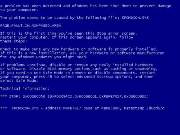
Blue Screen of DeathFew days ago I experienced my first Windows 7 problem. My dad’s Toshiba L300 laptop, which was upgraded from Windows Vista to Windows 7 recently, suddenly started showing the Blue Screen Of Death. It appeared randomly and all I could see before the laptop restarted was the PFN_LIST_CORRUPT message. The error code that followed was 0×0000004E.

I could see no reason for it, since the laptop was new, no new software or hardware was installed and the only change was the Windows system upgrade.

This error message means that the Page Frame Number is corrupt, and it usually has to do with bad memory or bad drivers. It comes up in Windows 2000, XP, Vista and 7.

In my case the memory was brand new, but I still ran the Windows 7 memory diagnostic tool, just to be safe. To access this program, you’ll need the Windows 7 installation DVD. Boot from this DVD and follow the instructions on the screen to ‘Repair you computer’. At the next screen, you’ll see some new options on the menu, one of which is the Windows Memory Diagnostic Tool. For detailed instructions on how to get there, please go here.

Read the rest »

Ecosia – New ‘Eco-Friendly’ Search Engine

ecosiaHave you heard about Ecosia, the new search engine that has just been launched? It’s powered by Bing and Yahoo search technology, but what makes this search engine special is that it’s environmentally friendly! 80% of its revenue goes to the World Wildlife Fund to protect rainforests and fight global warming. That means, that by using this search engine, Internet surfers can save 2000 square meters of rainforest per year!

Ecosia has been developed by a group of friends in Berlin, Germany, who are concerned about the environment. They set up this search engine to try and do something to save it.  I think this is a wonderful idea and a great cause. Hopefully Ecosia search engine will become as popular as the ‘big three’ some day.

To confirm Ecosia’s ’green’ status, its data centres are run on electricity from alternative sources that do not emit carbon dioxide. In addition, it has been launched in time for the Copenhagen climate change conference (7-18 Dec 2009), which may give it some more exposure.

Each search in Ecosia will protect about 2sqm of rainforest, so by using this search engine, we can protect the environment one search at a time. Everyone who surfs the Web will use search engines at some point, so why not use Ecosia and save the world 🙂 At least this little part is not difficult.

Read the rest »

LogMeIn – Free Remote Access & VPN software

logmein1Do you need to access your home computer from your office or during a business trip? Do you need to fix your friend’s computer without having to visit him/her? If yes, you must install LogMeIn. The software is free for personal use and it allows you to connect to a remote computer anywhere in the world and use it as if you are sitting in front of it.

With LogMeIn, you can connect to your PC at home or to any PC that you add to your virtual network. You just have to sign up (for free), install the software from the LogMeIn Web site (free for personal use or pay for business use), add computers to the network and choose passwords, so only authorised persons can use the connection.  You can install LogMeIn on your laptop and easily connect to your home or office PC while being far away. With the iPhone App, you can even remotely access your PC through your iPhone.

Once you install the software you can also install LogMeIn Hamachi, which allows you to network your devices and easily drag and drop documents and files from the remote PC to your PC/laptop.

The steps you need to follow to get this software are:

  • Go to LogMeIn Web site and register for a free account
  • Download and install the software on each PC/laptop
  • Click on My Computers on the Access menu and then Add Computer
  • Choose a password
  • Connect!

Read the rest »

Astra32 – Hardware Diagnostic Tool

astra32-smallFew days ago I found an interesting new program: Astra 32 – the Advanced System Information Tool. It’s used to test your computer’s components’ health and check for faults. If you suspect that one of your peripherals doesn’t work 100% or you just want to make sure all your PC’s components are running the way they should, then this little tool can help you.

I wanted to make sure that my 4 year old motherboard was still fully functional because I noticed some bulging capacitors, but I didn’t know of any motherboard diagnostic tools. I stumbled upon the Astra32 by googling for such software. I found and installed the Astra32 setup file quickly and I ran the program. To my surprise, it found no faults on the motherboard, but it showed that my primary hard drive’s health was poor! It suggested that I run a HDD diagnostics utility provided by the HDD manufacturer.

Astra32  is free and easy to use. It provides all information on the hardware and its health status, system summary, network information, BIOS and all software (operating system and installed programs) information and diagnostics capability. You can even create full reports based on your selection – the inbuilt report wizard can output information in several formats, such as HTML, plain text file, XML and CSV.

Read the rest »